
Silk Mobile
Table of Contents (Homepage)
- Overview
- Setting Up
- Getting Started
- How To
- Connecting Devices And Emulators
- Preparing Applications For Testing
- Managing Applications
- Recording Tests
- Working With Test Commands
- Adding Commands To Your Scripts
- Object Commands
- Click
- ClickCoordinate
- ClickIn
- ClickOffset
- Drag
- ElementGetProperty
- ElementGetTableRowsCount
- ElementListPick
- ElementListSelect
- ElementListVisible
- ElementScrollToTableRow
- ElementSendText
- ElementSetProperty
- ElementSwipe
- ElementSwipeWhileNotFound
- GetAllValues
- GetElementCount
- GetElementCountIn
- GetTextIn
- IsElementBlank
- IsElementFound
- IsFoundIn
- LongClick
- RunNativeAPICall
- SendWhileNotFound
- VerifyElementFound
- VerifyElementNotFound
- VerifyIn
- WaitForElement
- WaitForElementToVanish
- GetCoordinateColor
- DragDrop
- Application Commands
- Device Commands
- Web (Hybrid) Specific Commands
- Utilities Commands
- Monitoring Commands
- Configuration Commands
- ExtractLanguageFiles
- SetDefaultClickDownTime
- SetDefaultTimeOut
- SetDefaultWebView
- SetDragStartDelay
- SetInKeyDelay
- SetKeyToKeyDelay
- SetLanguage
- SetLanguagePropertiesFile
- SetShowImageInReport
- SetShowPassImageInReport
- SetShowReport
- SetSpeed
- SetThrowExceptionOnFail
- SetWebAutoScroll
- StartStepsGroup
- StopStepsGroup
- TextFilter
- Miscellaneous Commands
- Controlling Element Identification Rules
- Editing Test Objects
- Executing Test Scripts
- Report Of Executed Test
- Working From Code Environment
- Continuous Integration
- Layout Verification Tests
- Use Device Vitals Monitors
- Troubleshooting
- Terminology
SetLocation
setLocation(Latitude, Longitude)
|
|

Description
The command gives the ability to test geolocation based applications by allowing the user to set the location of the device as necessary for testing. It is assumed that the user has pre-configured the device for location testing.
Note: To configure the device for location testing, the user should:
-
Enter the “developer options” settings menu and check the “Allow mock locations” check box.
-
Enter the "Location" settings menu and set the device location accuracy mode to "Device sensors only (GPS only)"
Parameters
-
Latitude: Latitude value in decimal degrees, ranging from -90 to 90.
Positive values represent latitudes north of the equator while negative values represent latitudes south of the equator. -
Longitude: Longitude value in decimal degrees, ranging from -180 to 180.
Positive values represent longitudes east of the prime meridian while negative values represent longitudes west of the prime meridian.
Usage
client.setDevice("adb:GT-I9505");client.setLocation("20.593684", "78.962880"); // Indiaclient.setLocation("-32.269794", "26.191406"); // South Africaclient.setLocation("36.296238", "-91.933594"); // USA
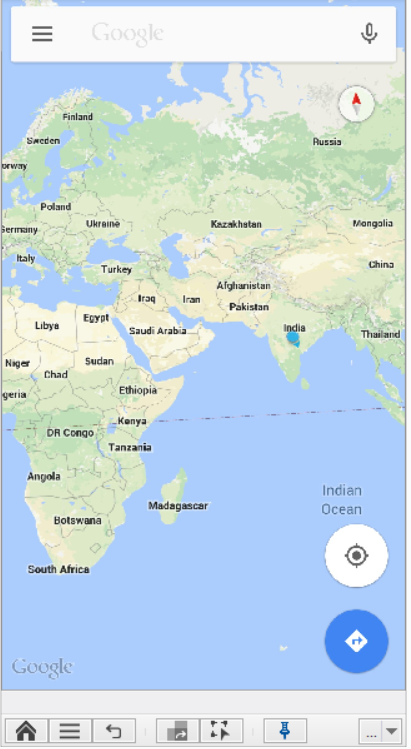
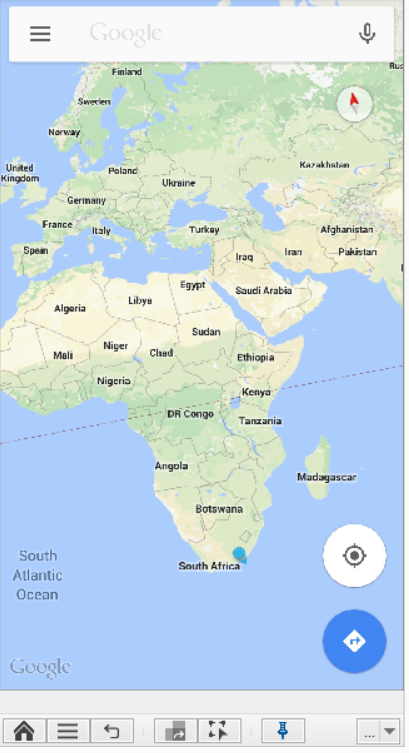
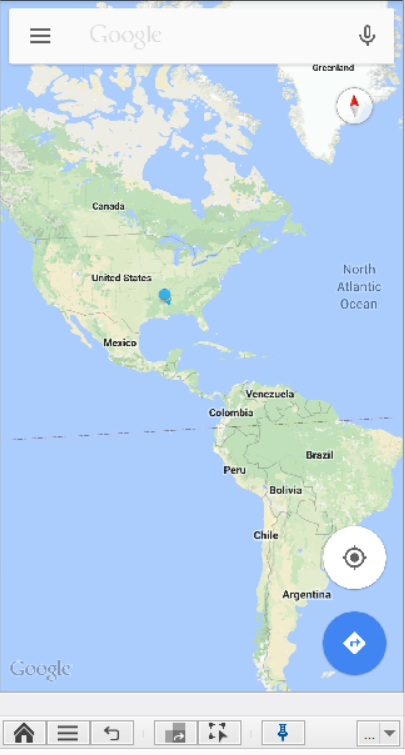
Note: For the device to return to it’s normal location functioning, it is required to execute the command “clearLocation”.
Code Examples
client.setLocation("20.593684", "78.962880");client.SetLocation("20.593684", "78.962880");client.SetLocation "20.593684", "78.962880"Reportself.client.setLocation("20.593684", "78.962880")$client->setLocation("20.593684", "78.962880");