
Silk Mobile
Table of Contents (Homepage)
- Overview
- Setting Up
- Getting Started
- How To
- Connecting Devices And Emulators
- Preparing Applications For Testing
- Managing Applications
- Recording Tests
- Working With Test Commands
- Adding Commands To Your Scripts
- Object Commands
- Click
- ClickCoordinate
- ClickIn
- ClickOffset
- Drag
- ElementGetProperty
- ElementGetTableRowsCount
- ElementListPick
- ElementListSelect
- ElementListVisible
- ElementScrollToTableRow
- ElementSendText
- ElementSetProperty
- ElementSwipe
- ElementSwipeWhileNotFound
- GetAllValues
- GetElementCount
- GetElementCountIn
- GetTextIn
- IsElementBlank
- IsElementFound
- IsFoundIn
- LongClick
- RunNativeAPICall
- SendWhileNotFound
- VerifyElementFound
- VerifyElementNotFound
- VerifyIn
- WaitForElement
- WaitForElementToVanish
- GetCoordinateColor
- DragDrop
- Application Commands
- Device Commands
- Web (Hybrid) Specific Commands
- Utilities Commands
- Monitoring Commands
- Configuration Commands
- ExtractLanguageFiles
- SetDefaultClickDownTime
- SetDefaultTimeOut
- SetDefaultWebView
- SetDragStartDelay
- SetInKeyDelay
- SetKeyToKeyDelay
- SetLanguage
- SetLanguagePropertiesFile
- SetShowImageInReport
- SetShowPassImageInReport
- SetShowReport
- SetSpeed
- SetThrowExceptionOnFail
- SetWebAutoScroll
- StartStepsGroup
- StopStepsGroup
- TextFilter
- Miscellaneous Commands
- Controlling Element Identification Rules
- Editing Test Objects
- Executing Test Scripts
- Report Of Executed Test
- Working From Code Environment
- Continuous Integration
- Layout Verification Tests
- Use Device Vitals Monitors
- Troubleshooting
- Terminology
DragDrop
Drag(Zone, DragElement, DragIndex, DropElement, DropIndex)
|
|
|
|
|
|
|






Description
Drag an element or text in a specified zone (you can drag the second, third, etc appearance of the element by setting Index to 1, 2, etc), and drop it on another element.
Parameters
-
Zone - Select Zone.
-
DragElement - Select Element from drop-down list OR (for OCR text identification) insert text into the empty box in the drop down list.
-
DragIndex - Element Order (the number of times the element appears more than once).
-
DropElement - Select Element from drop-down list OR (for OCR text identification) insert text into the empty box in the drop down list.
-
DropIndex - Element Order (the number of times the element appears more than once).
Usage
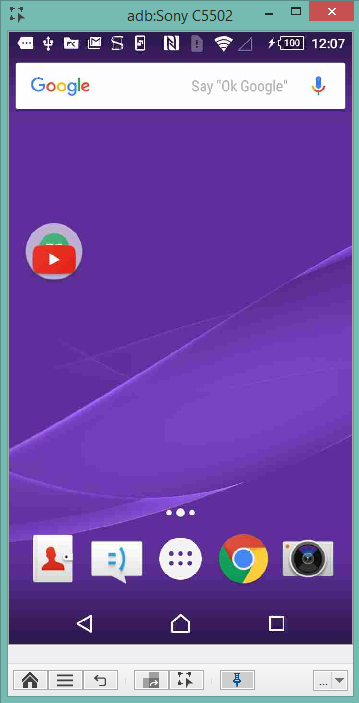
Scenario : In the following example, we will use the DragDrop command together with the SetDragStartDelay command in order to move the Hangouts icon across the device's springboard, and drop it on the YouTube icon, in order to add it to a folder.
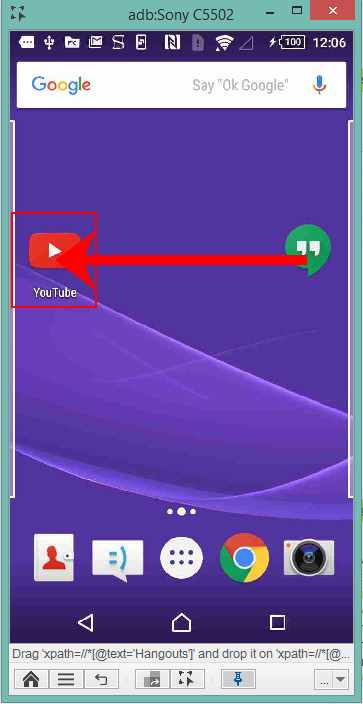
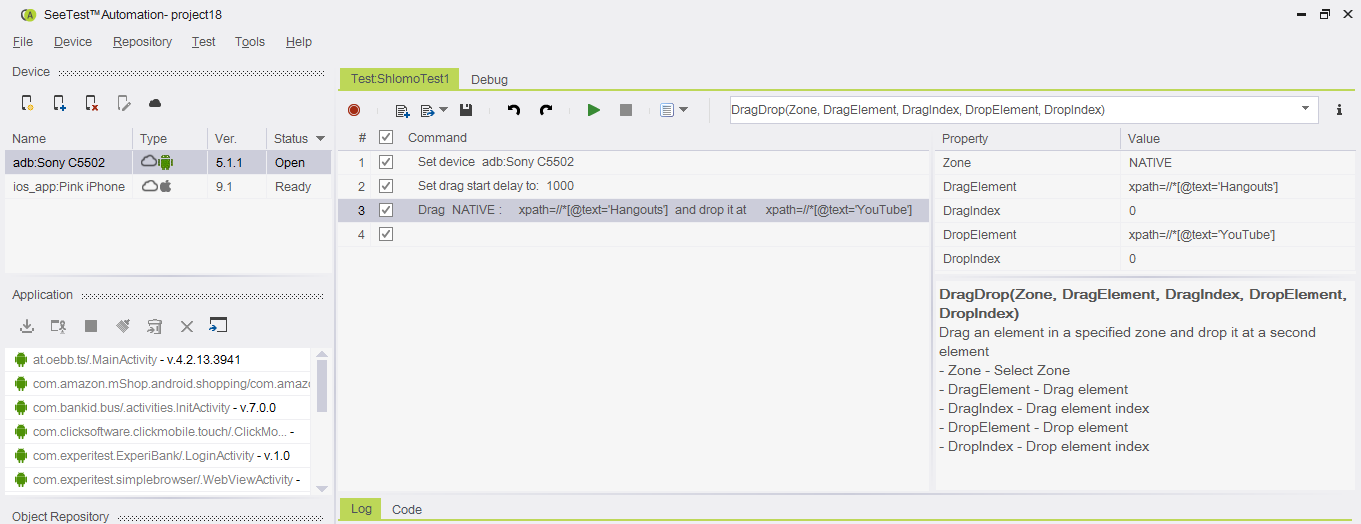
Command usage: We will first use the SetDragStartDelay command in order to press the element for 1000 milliseconds before starting the drag. We will then use the DragDrop command with the following configurations:
Parameters:
-
Zone - will be set to NATIVE
-
DragElement - will be set to xpath=//*[@text='Hangouts'] in order to identify the Hangouts icon element.
-
DragIndex - will be set to 0
-
DropElement - will be set to xpath=//*[@text='YouTube'] in order to identify the YouTube icon element.
-
DropIndex - will be set to 0
This will be the result of the sequence:
Code Examples:
client.setDragStartDelay(1000);client.dragDrop("NATIVE", "xpath=//*[@text='Hangouts']", 0, "xpath=//*[@text='YouTube']", 0);client.SetDragStartDelay(1000);client.DragDrop("NATIVE", "xpath=//*[@text='Hangouts']", 0, "xpath=//*[@text='YouTube']", 0);client.SetDragStartDelay(1000)client.DragDrop("NATIVE", "xpath=//*[@text='Hangouts']", 0, "xpath=//*[@text='YouTube']", 0)self.client.setDragStartDelay(1000)self.client.dragDrop("NATIVE", "xpath=//*[@text='Hangouts']", 0, "xpath=//*[@text='YouTube']", 0)$client->setDragStartDelay(1000);$client->dragDrop("NATIVE", "xpath=//*[\@text='Hangouts']", 0, "xpath=//*[\@text='YouTube']", 0);