
Silk Mobile
Table of Contents (Homepage)
- Overview
- Setting Up
- Getting Started
- How To
- Connecting Devices And Emulators
- Preparing Applications For Testing
- Managing Applications
- Recording Tests
- Working With Test Commands
- Adding Commands To Your Scripts
- Object Commands
- Click
- ClickCoordinate
- ClickIn
- ClickOffset
- Drag
- ElementGetProperty
- ElementGetTableRowsCount
- ElementListPick
- ElementListSelect
- ElementListVisible
- ElementScrollToTableRow
- ElementSendText
- ElementSetProperty
- ElementSwipe
- ElementSwipeWhileNotFound
- GetAllValues
- GetElementCount
- GetElementCountIn
- GetTextIn
- IsElementBlank
- IsElementFound
- IsFoundIn
- LongClick
- RunNativeAPICall
- SendWhileNotFound
- VerifyElementFound
- VerifyElementNotFound
- VerifyIn
- WaitForElement
- WaitForElementToVanish
- GetCoordinateColor
- DragDrop
- Application Commands
- Device Commands
- Web (Hybrid) Specific Commands
- Utilities Commands
- Monitoring Commands
- Configuration Commands
- ExtractLanguageFiles
- SetDefaultClickDownTime
- SetDefaultTimeOut
- SetDefaultWebView
- SetDragStartDelay
- SetInKeyDelay
- SetKeyToKeyDelay
- SetLanguage
- SetLanguagePropertiesFile
- SetShowImageInReport
- SetShowPassImageInReport
- SetShowReport
- SetSpeed
- SetThrowExceptionOnFail
- SetWebAutoScroll
- StartStepsGroup
- StopStepsGroup
- TextFilter
- Miscellaneous Commands
- Controlling Element Identification Rules
- Editing Test Objects
- Executing Test Scripts
- Report Of Executed Test
- Working From Code Environment
- Continuous Integration
- Layout Verification Tests
- Use Device Vitals Monitors
- Troubleshooting
- Terminology
IsElementFound
IsElementFound( Zone, Text, Index)
|
|
|
|
|
|
|






Description
Check if a given element or text is found in the specified zone; if found returns TRUE if not found returns FALSE
Parameters
-
Zone - Select Zone
-
SearchElement - what to search for: select Element from the drop-down list OR (for OCR text identification) insert text into the empty box in the drop-down list
-
Index - Element or text index
Usage
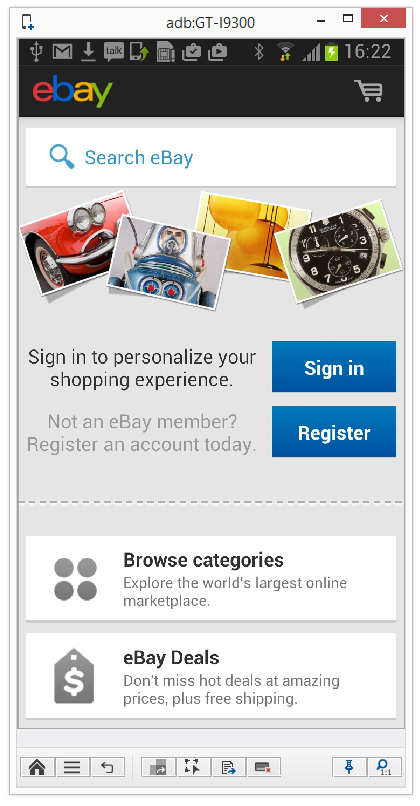
Scenario: In the following scenario we will verify that the ‘Register’ button appears upon entering the ebay application.
-
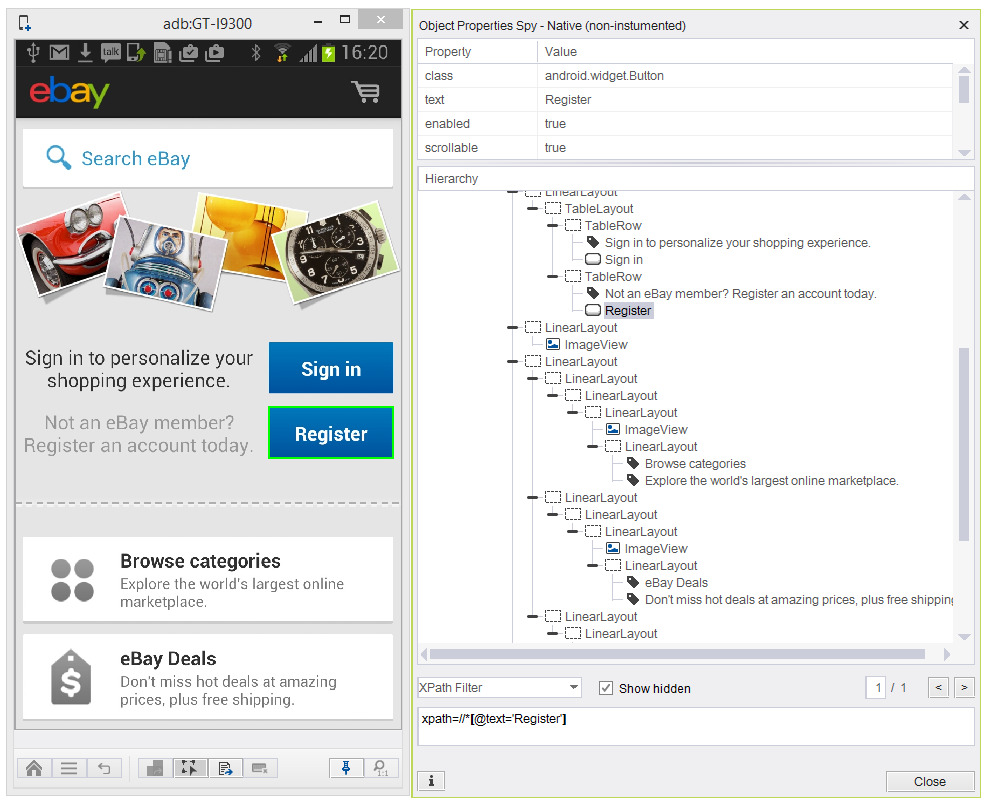
Enabling the Object Spy to grab a unique native identifier for the ‘Register’ button.
-
By marking the button, we can get all the element's properties. By checking on the XPath filter, we can see that path=//*[@text='Register'] uniquely recognized the element.
-
Adding a command of isElementFound(Zone, Element, Index) command with the following parameters:
-
Zone: NATIVE
-
Element: xpath=//*[@text='Register']
-
Index: 0
-
Code Examples
if(client.isElementFound("NATIVE", "xpath=//*[text='register']", 0)){// If statement}if(client.IsElementFound("NATIVE", "xpath=//*[text='register']", 0)){// If statement}If StrComp (client.IsElementFound ("NATIVE", "xpath=//*[text='register']", 0 ), "True") = 0 Then Report'If statementElse ReportEnd Ifif(self.client.isElementFound("NATIVE", "xpath=//*[text='register']", 0)):# If statementpassif($client->isElementFound("NATIVE", "xpath=//*[text='register']", 0)){# If statement}