
Silk Mobile
Table of Contents (Homepage)
- Overview
- Setting Up
- Getting Started
- How To
- Connecting Devices And Emulators
- Preparing Applications For Testing
- Managing Applications
- Recording Tests
- Working With Test Commands
- Adding Commands To Your Scripts
- Object Commands
- Click
- ClickCoordinate
- ClickIn
- ClickOffset
- Drag
- ElementGetProperty
- ElementGetTableRowsCount
- ElementListPick
- ElementListSelect
- ElementListVisible
- ElementScrollToTableRow
- ElementSendText
- ElementSetProperty
- ElementSwipe
- ElementSwipeWhileNotFound
- GetAllValues
- GetElementCount
- GetElementCountIn
- GetTextIn
- IsElementBlank
- IsElementFound
- IsFoundIn
- LongClick
- RunNativeAPICall
- SendWhileNotFound
- VerifyElementFound
- VerifyElementNotFound
- VerifyIn
- WaitForElement
- WaitForElementToVanish
- GetCoordinateColor
- DragDrop
- Application Commands
- Device Commands
- Web (Hybrid) Specific Commands
- Utilities Commands
- Monitoring Commands
- Configuration Commands
- ExtractLanguageFiles
- SetDefaultClickDownTime
- SetDefaultTimeOut
- SetDefaultWebView
- SetDragStartDelay
- SetInKeyDelay
- SetKeyToKeyDelay
- SetLanguage
- SetLanguagePropertiesFile
- SetShowImageInReport
- SetShowPassImageInReport
- SetShowReport
- SetSpeed
- SetThrowExceptionOnFail
- SetWebAutoScroll
- StartStepsGroup
- StopStepsGroup
- TextFilter
- Miscellaneous Commands
- Controlling Element Identification Rules
- Editing Test Objects
- Executing Test Scripts
- Report Of Executed Test
- Working From Code Environment
- Continuous Integration
- Layout Verification Tests
- Use Device Vitals Monitors
- Troubleshooting
- Terminology
GetVisualDump
String GetVisualDump(String type)
|
|
|
|



Description
This command will return a String which contains the XML with all the dump (object spy) properties of the screen.
Parameters
-
String type:User can get the dump on there flection in the following three different types:-
-
non-instrumented.
-
Native (of native instrumented applications).
-
Web (of hybrid applications or web sites).
Note: If type of dump is not supported on the current page - empty xml will be retrieved.
-
Usage
This command will get the structure of a page displayed on the device to analyze later by parsing the xml.
Non-instrumented
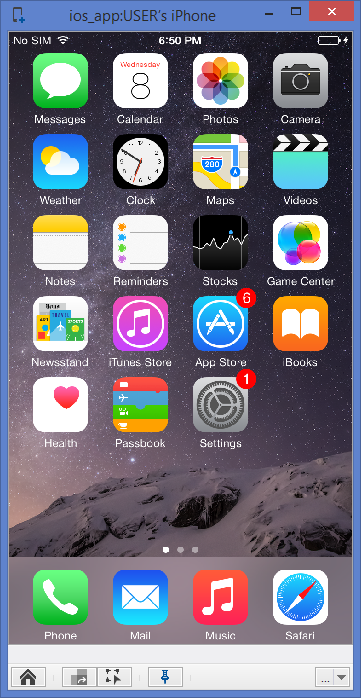
On the following example we will show the use of the command to pull the non-instrumented dump of the springboard of the device.
Device should be iOS7 and higher and non-instrumented mode should be enabled)
Reflection of the device:
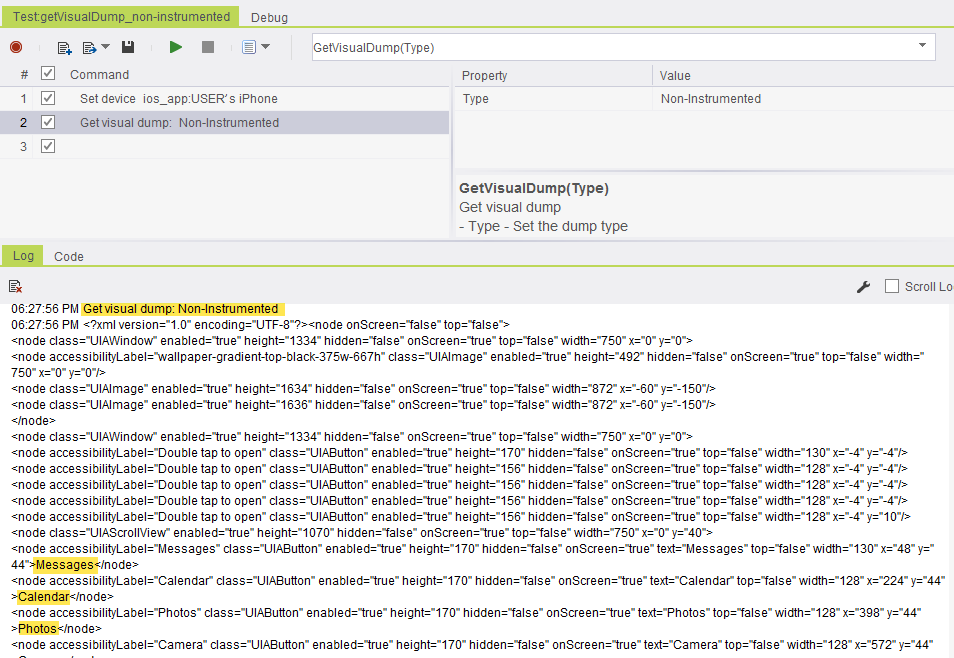
Run the getVisualDump command with the type 'Non-instrumened'.
The result of the command on the console is:
Non-instrumented dump is retrieved.
Native
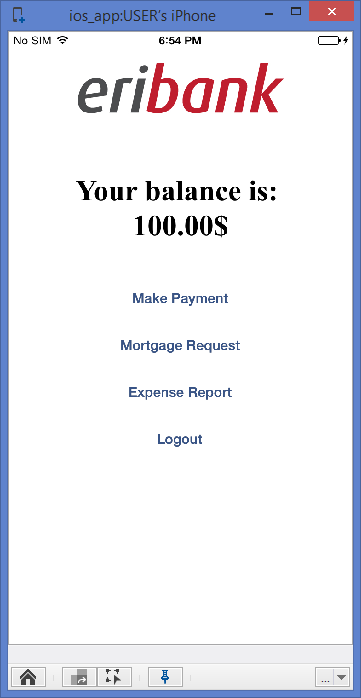
On the following example we will show the use of the command to pull the dump of native instrumented application. In this case we will use the demo application of Eribank.
We will launch the application on the device:
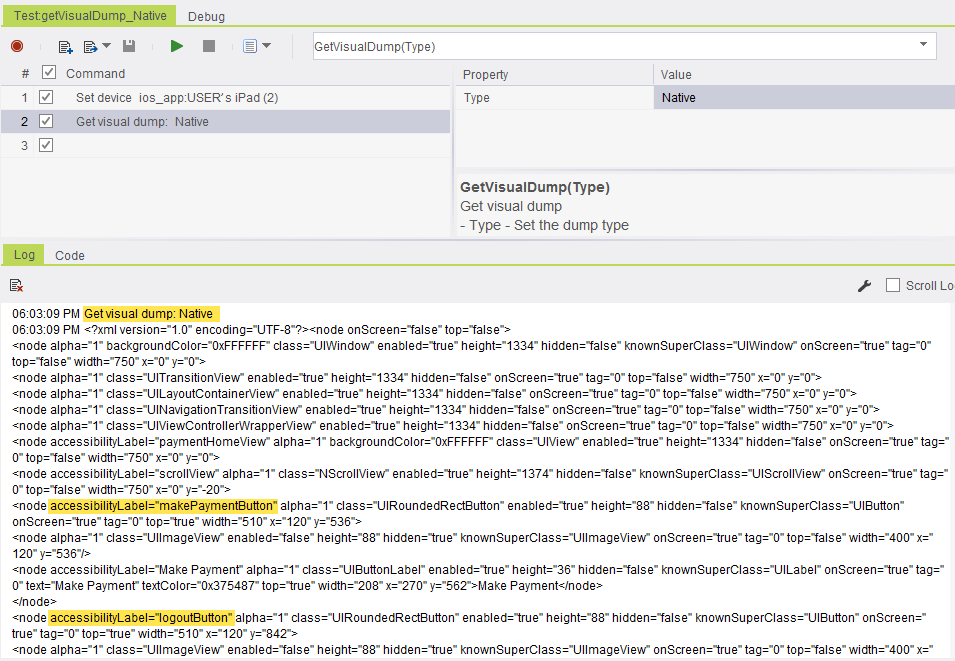
Run the getVisualDump command with the type ’Native’.
The result of the command on the console is:
Native dump is retrieved.
Web
On the following example we will show the use of the command to pull the web dump of hybrid instrumented application.
In this case we will use the demo application of Eribank which has hybrid parts in it.
We will launch the app and navigate to an hybrid page, which contains the Native as well as Web object.
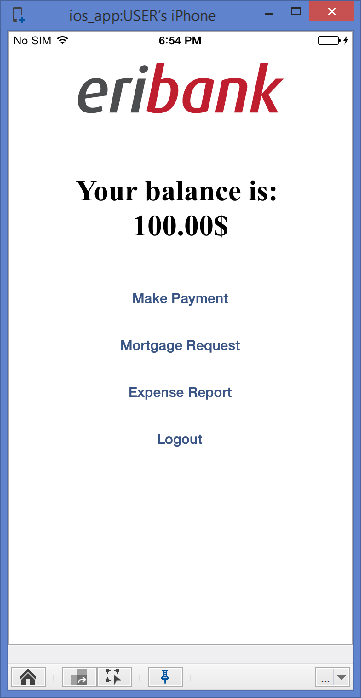
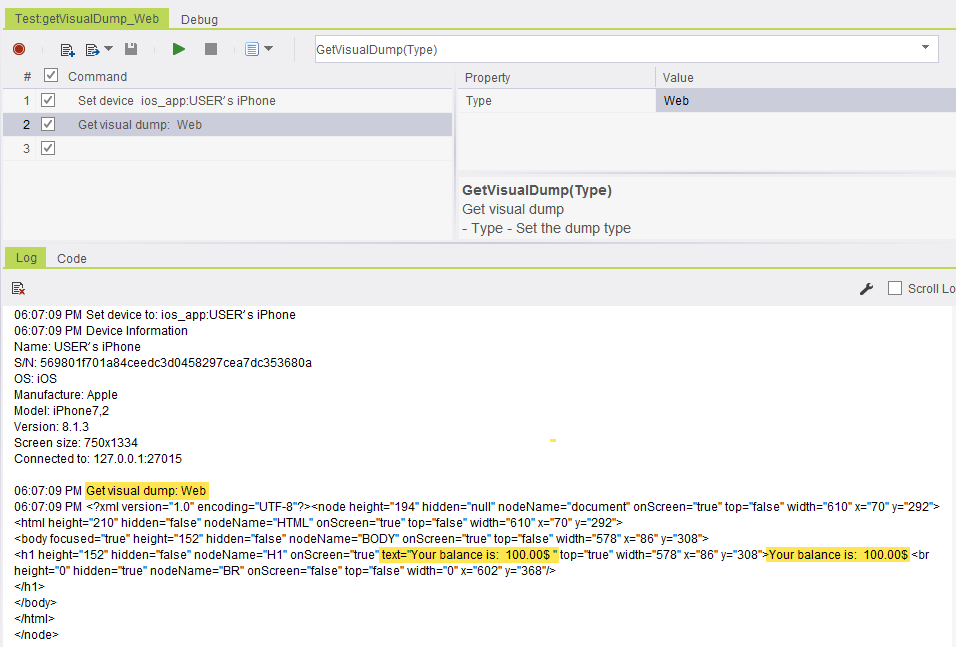
Run the getVisualDump command with type 'Web'.
The result of the command on the console is:
Web dump is retrieved (Note that native is not retrieved)
Code Examples
String str0 = client.getVisualDump("Native");string str0 = client.GetVisualDump("Native");str0 = client.GetVisualDump ( "Native" )Reportvar0 = self.client.getVisualDump("Native")my $str0 = $client->getVisualDump("Native");